
Getting started · Let.com knowledge base

How to Clear Browser Cache on Mobile

Updated 2021-08-271 min read

Hosting documentation. Account access is coming soon. Always use the server details and nameservers assigned to your own account.

When visiting a website for the first time, your device will seem to load slow. The reason for this is because of device "Caching". Caching stores in the data storage layer so that future requests for that data are served up faster when visiting again. Because of this, stored data needs to be cleared to ensure that you are viewing the latest of content when changes are made. You can find the detailed instructions on how to clear cache in different browsers for mobile devices below:

Android

1. Launch your browser, usually, it is Chrome.
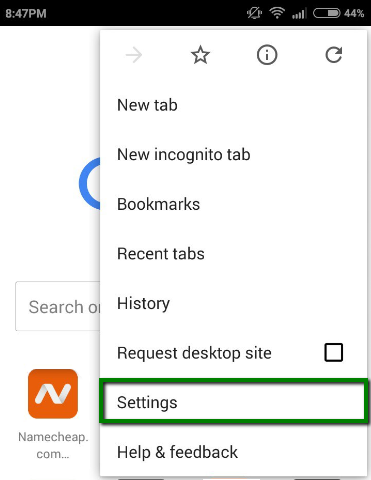
2. Open the Menu and select Settings:
Support guide illustration

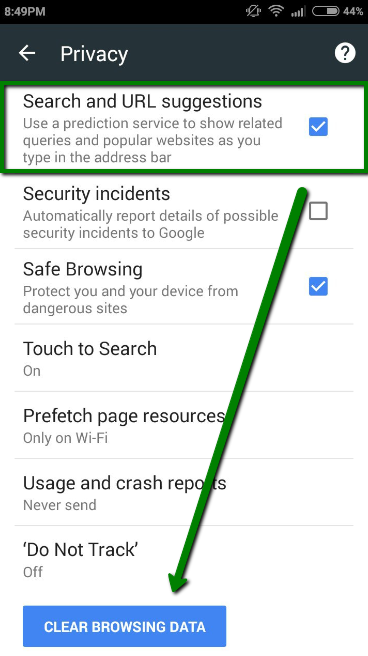
3. Navigate to the Privacy menu and select Clear Browsing Data:
Support guide illustration


iOS (Apple)

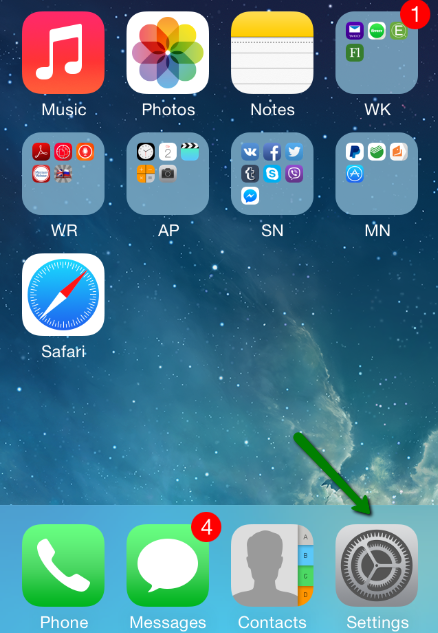
1. From the home screen, tap the Settings button:
Support guide illustration

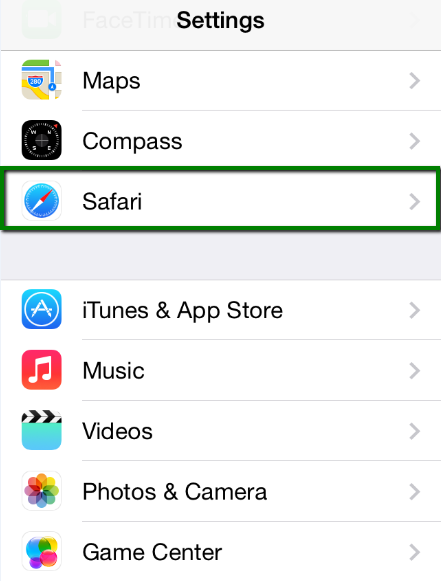
2. On the Settings screen tap the Safari button:
Support guide illustration

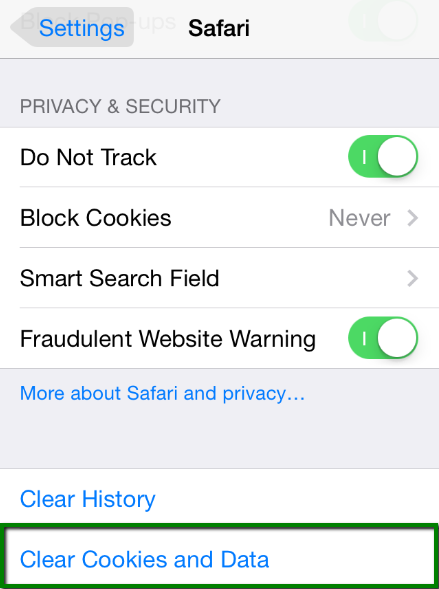
3. Under the Privacy section, tap the Clear Cookies and Data button:
Support guide illustration

4. On the confirmation screen, tap Clear Cookies and Data:

Support guide illustration

 
Did this point you in the right direction?

Talk to the Let.com team

Frequently asked questions

What you need to know.

Talk to our team

Why can my mobile browser still show an older page?

Cached website data can load an earlier version after the site changes. The guide uses clearing browsing data to refresh what the device stores.

Which mobile browsers are illustrated?

The article shows an Android browser workflow using Chrome-style settings and an iOS workflow through Safari settings. Menu labels may differ on newer devices.

Is there another way to compare the page with a fresh session?

The related private browsing guide explains how a private window provides a separate browsing session for checking a site. What Is a Incognito Mode/Private Window.

Let.com

Coming soon.

Account sign-up, log-in and checkout are not available yet. You can explore our products and compare plans while we get everything ready.

Compare plans